
How To Copy Payment Link From Vitalswap Business Account

To make sales with your payment link, you need to share it with people. Follow these simple steps to see how to copy your payment link so you can share it everywhere.


Step 1: Login into your VitalSwap business account with your credentials.
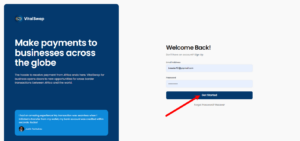
 

Step 2: On your business account page, check the navigation menu and click on “Payment Link.”
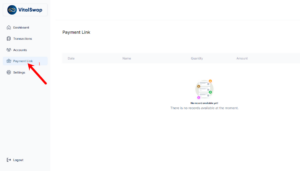
 

Step 3: Clicking the “Payment Link” will load a page displaying all the products you’ve added.


Step 4: Find the product you want to share and beside it, you’ll see a “copy icon,” click it. Once you do this, the payment link is copied to your device.


Step 5: Once your payment link is copied, that link is now ready to send to clients, post on socials, or embed in emails. You can share anywhere and anytime.


Global Offices

© 2025 VitalSwap. All rights reserved.
Accept card

vitalSwap Payment Technologies, Inc., NMLS ID:2670555, is a licensed MSB. vitalSwap is not a bank. Financial services are provided by processor and banking partners to our customers.

VitalSwap’s payment services in the European Economic Area (EEA) territory are provided through a white-label partnership with Belmoney S.A., a payment institution licensed and under supervision of the National Bank of Belgium, registration no. 0540.745.997, with passport rights to operate in all EEA countries in accordance with PSD2 (Directive (EU) 2015/2366). All payments in the EEA are powered and processed by Belmoney in accordance with Belgian and European law.

Scroll to Top